
Mr Fortune Casino is designed to be accessed on mobile without necessarily installing a separate app. For players in New Zealand, the simplest starting point is the casino’s official website: open it in your phone’s browser, sign in or register, and check whether a download option is currently offered. App availability can change, so avoid relying on old links, unofficial app stores, or files shared by other players.
Before creating an account or depositing, confirm that the site is available to you, review its terms, and understand how it handles payments and withdrawals. Gambling should be legal for your circumstances and treated as paid entertainment, not as a way to earn money.
Does Mr Fortune Have a Mobile App?
Casino brands may offer a dedicated app, a browser-based mobile casino, or both. The available options can vary by device, region, and time. If Mr Fortune displays an app download button on its official site, follow the instructions provided there and check that the page is genuinely associated with the casino. If no verified app is offered, use the mobile website instead; a well-built site can provide access to games without an installation.
On iPhone, a casino may provide access through Safari or, where officially supported, the App Store. On Android, access may be through a browser or an official installation file. Do not install an Android package simply because a search result claims it is the casino app. Unverified files can expose personal information or compromise your device.
How to Access Mr Fortune on a Phone
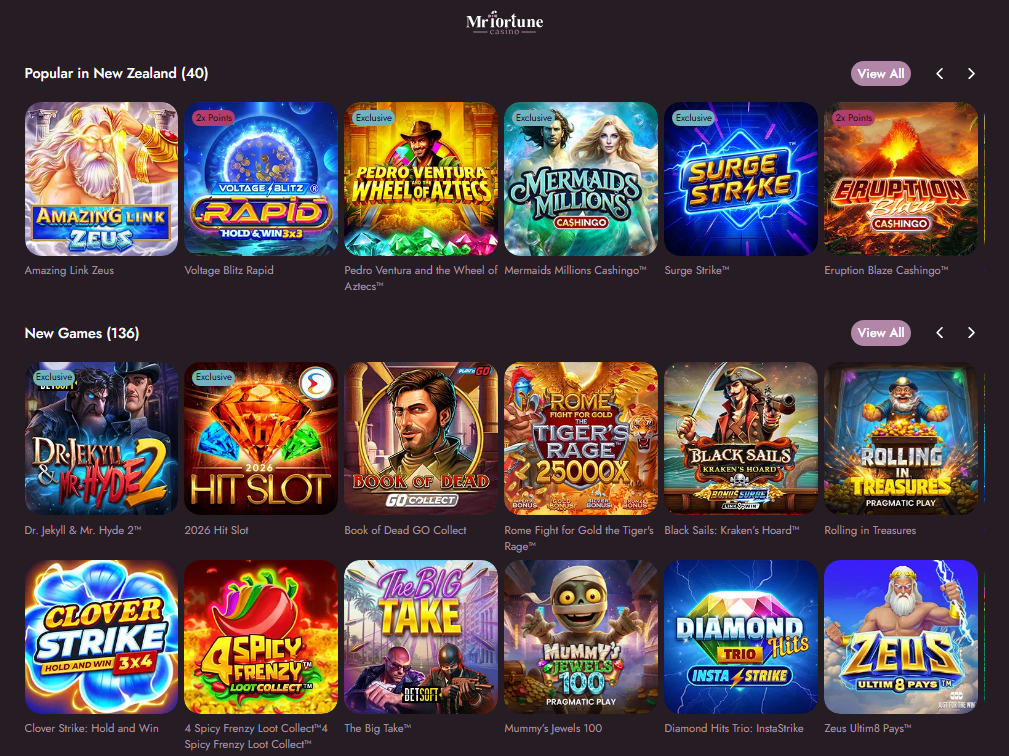
Using the mobile website
- Open Safari, Chrome, or another up-to-date browser.
- Type the casino’s official web address yourself, or use a trusted bookmark.
- Check the address carefully before entering login or payment details. Look for a secure connection and make sure the spelling is correct.
- Choose the option to sign in, or review the registration process if you are a new customer.
- Read the terms, privacy information, bonus conditions, and withdrawal rules before depositing.
- Browse the mobile lobby and launch a game only after checking its rules and any displayed information about its provider.
On many phones, the site adjusts automatically to the screen. You can optionally add a shortcut to your home screen using your browser’s share or menu controls. This shortcut opens the website; it does not prove that a separate casino app has been installed.
Installing an app, if officially available
If the official Mr Fortune site explicitly offers a mobile app for your device and location, follow its current instructions. Check the publisher name, requested permissions, and source before proceeding. If the instructions send you to an app store, confirm that the listing is genuine. If they ask you to install a file directly, pause and assess the security implications; do not bypass your device’s protections unless you understand the risks and trust the source.
After installation, open the app and confirm that the branding and web address match the official service. Never provide your casino password, bank details, or verification documents through an unexpected link or message.
What to Check Before You Play in New Zealand
Online gambling rules and the availability of offshore services can change. New Zealand players should check current local requirements and the casino’s eligibility terms rather than assuming that access from a phone means the service is authorised for every player. If you are unsure, seek reliable New Zealand guidance before registering or depositing.
- Age and eligibility: Meet the applicable minimum age and any location restrictions stated by the operator.
- Terms: Review bonus wagering requirements, game restrictions, maximum bet rules, expiry dates, and withdrawal conditions.
- Payments: Check which payment methods are available to New Zealand customers, any fees, and the currency used. Your bank or payment provider may apply its own charges or exchange rates.
- Identity checks: Be prepared for reasonable verification requirements. Submit documents only through the official, secure account area.
- Safer gambling: Look for deposit limits, time-outs, self-exclusion tools, and links to independent support.
Mobile Experience and Game Information
A mobile casino is most convenient when menus, account tools, and game controls are easy to use on a small screen. Performance depends on your phone, browser, connection, and the game itself. A stable Wi-Fi or mobile-data connection can help, but it does not guarantee uninterrupted play. Close unnecessary tabs, keep your operating system and browser updated, and avoid playing on public Wi-Fi when handling sensitive account information.
If you are visiting for a particular slot, check its information panel before playing. The game’s rules may describe its features, paylines or ways to win, volatility, and theoretical return to player (RTP). RTP is a long-run statistical figure, not a prediction of what one player will receive in a session. A displayed percentage should be confirmed in the game information or its provider documentation, since configurations can differ between casinos.
Players searching for fortune mr slot payout percentage should treat that phrase as a prompt to verify the exact game and version, not as a promise of a specific result. Check the RTP shown in the slot’s paytable or help screen, and remember that actual short-term outcomes can vary widely. No strategy, app, or download changes the game’s mathematical rules or guarantees a win.
Questions and Answers
Do I need to download anything to play?
Not necessarily. If the casino’s mobile website supports your browser, you can usually access it without installing an app. A home-screen shortcut is also just a link to the website.
How can I tell whether a download is genuine?
Start from the casino’s official website and follow only its current, clearly identified instructions. Check the publisher and requested permissions, and avoid third-party download pages, social-media links, and unsolicited messages. If you cannot verify the source, do not install the file.
Why might a game fail to load on my phone?
Possible causes include an outdated browser, weak connectivity, device incompatibility, or temporary service issues. Update your browser, restart the page, and try a reliable connection. If the problem continues, contact support using the contact details displayed on the official site.
Will the casino work the same on iPhone and Android?
The mobile website may work on both, but the layout, browser behaviour, and any app options can differ. Check the casino’s current compatibility information for your device rather than assuming that an app or feature is available on every platform.
Responsible Mobile Play
Phones make casino games easy to open at almost any time, so set boundaries before you start. Decide on a spending limit and a time limit, and stop when either is reached. Do not gamble with money needed for bills, borrow to play, or chase losses. If gambling stops feeling recreational, use the operator’s available blocking or self-exclusion tools and seek support from a trusted person or New Zealand-based gambling support service.
Downloading—or bookmarking—Mr Fortune is only a technical step. The safer approach is to use the official mobile access route, protect your device and account, understand the terms, and make an informed decision about whether to play at all.